
How a syndicate community works, screen by screen
A walkthrough of building a community on Rocketbook: the profile, invites and approvals, publishing a deal, gauging demand with votes, then the member update.
A community is a named, sponsor-owned group of investors that persists between deals. Members onboard once, and access to what you publish follows their membership rather than a per-deal invitation list. This post goes through the five things you actually do with one, in the order you do them.
The companion piece argues why the community should be the durable layer rather than the vehicle. This one is the mechanics.
1. Create it and fill in the profile
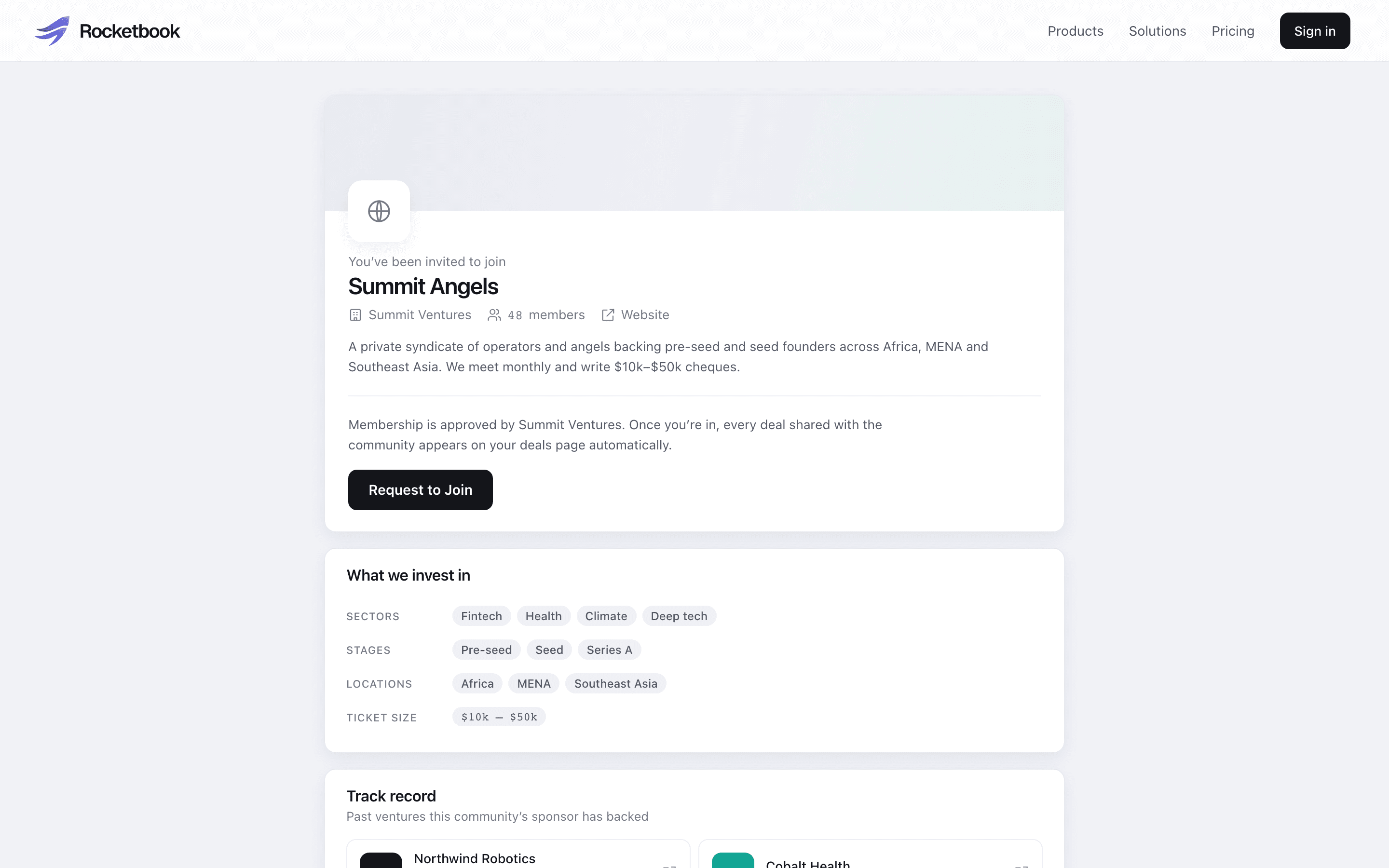
A community has a public face: a name, logo and cover, a description, an investment thesis and a track record. The thesis is structured rather than prose, so you pick sectors, stages, regions and typical cheque size from the same vocabulary investors use to set their own preferences. That is what lets the platform rank communities for an investor browsing Discover by how well they overlap.
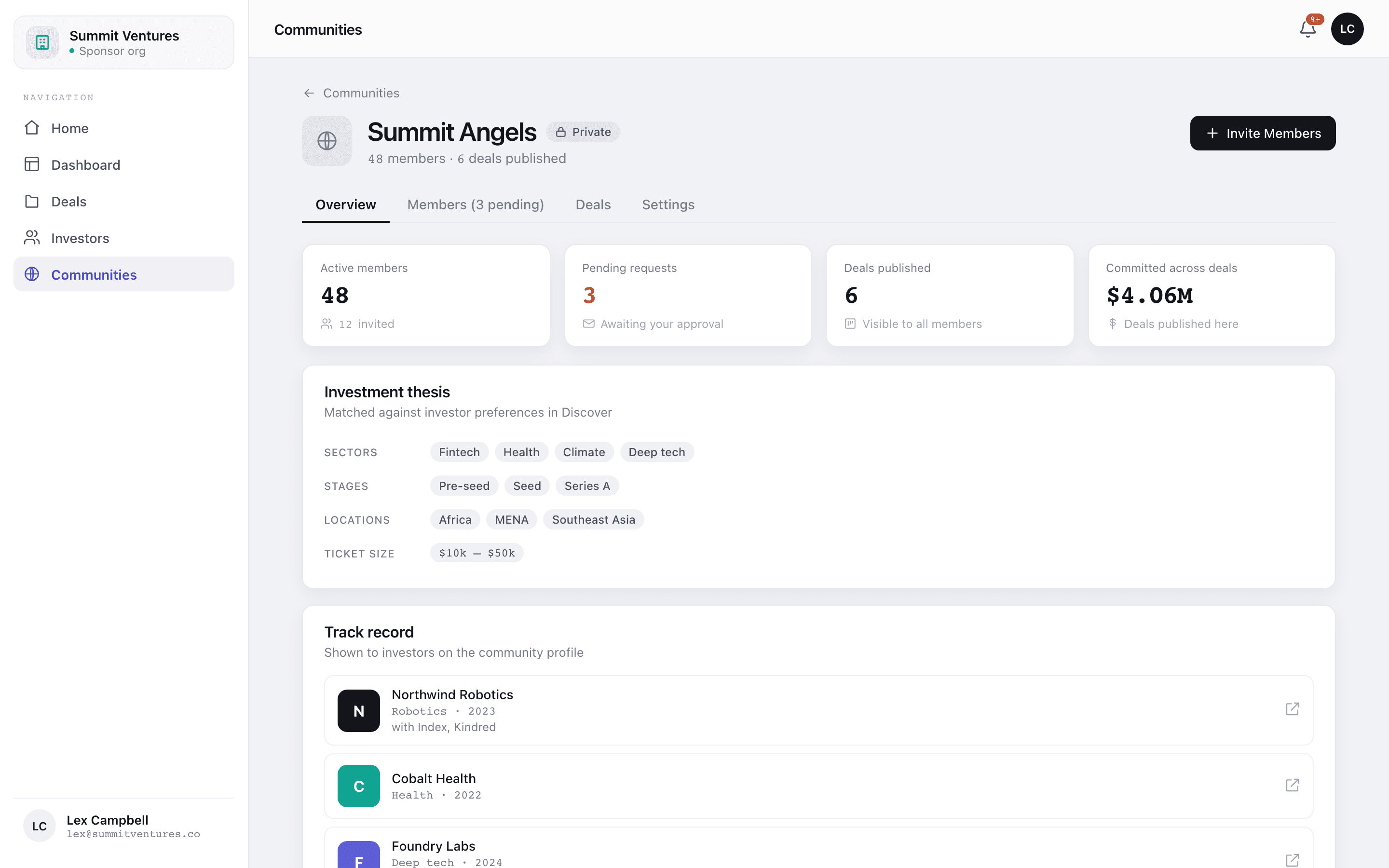
The track record does more work than it looks like it does. A prospective member evaluating whether to join is really asking what you have backed before, and a list of ventures with sectors and years answers that faster than any amount of positioning copy.
One structural decision at creation: public or private. A public community appears in investor Discover and accepts join requests from anyone. A private one is invite-only. Both can share a join link, and in both cases every request needs your approval, so the difference is discoverability rather than access control.
2. Bring members in
Three routes in, and none of them adds anyone silently:
- Invite by email, individually or from a cohort you have already grouped in your investor list.
- Invite everyone in your contacts, when you are migrating an existing syndicate across.
- Share the community's join link, which works for private communities too and turns the recipient into a join request rather than a member.
Invited investors accept; requesters wait for you to approve. Either way the investor completes a membership profile first, covering their investment preferences plus company, title and country, so the member directory is populated with something useful rather than a list of email addresses.
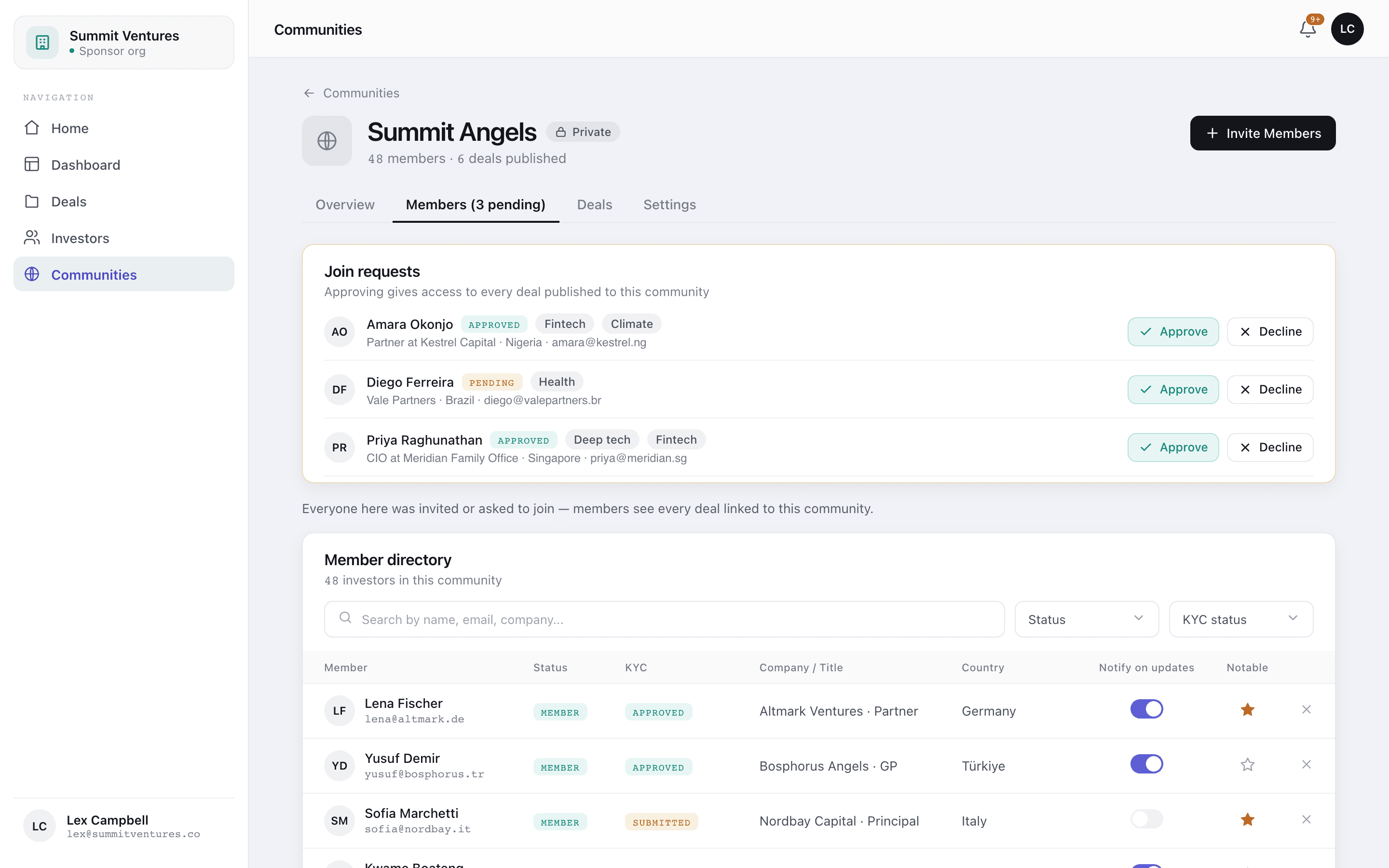
Two per-member controls are worth understanding because they do different jobs. Marking someone notable shows their name and company on the community's public profile, which is how you signal quality to prospective members. The updates toggle governs whether they receive the batched member email. One is outward-facing, the other is a delivery preference, and they are independent.
3. Publish a deal to the community
This is the step that makes the community worth having. You link a deal to a community, and every active member gains access to it — including members who join afterwards. A member who arrives in March can open the deal you published in January, without you doing anything.
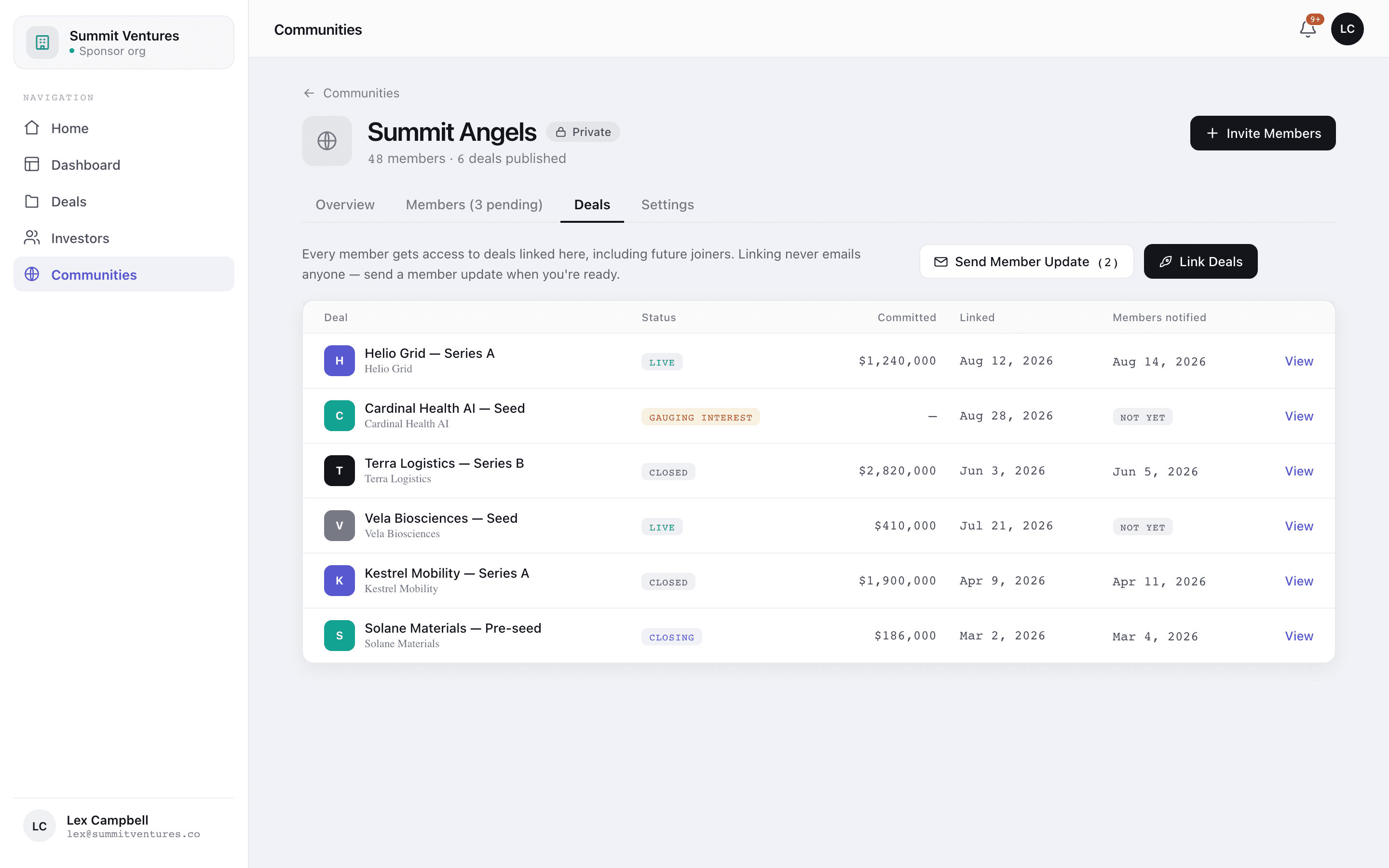
Linking does not send email. That separation is deliberate: publishing and notifying are two decisions, so moving a deal through your own workflow never fires mail at your entire investor base by accident. Notifying is its own action, covered below.
4. Gauge demand before you form anything
Forming a vehicle costs money, so you want a demand signal first. A deal can sit in pipeline as circling, where members cast an up or down vote and can register non-binding interest. You see the tally and decide whether it is worth forming the SPV.
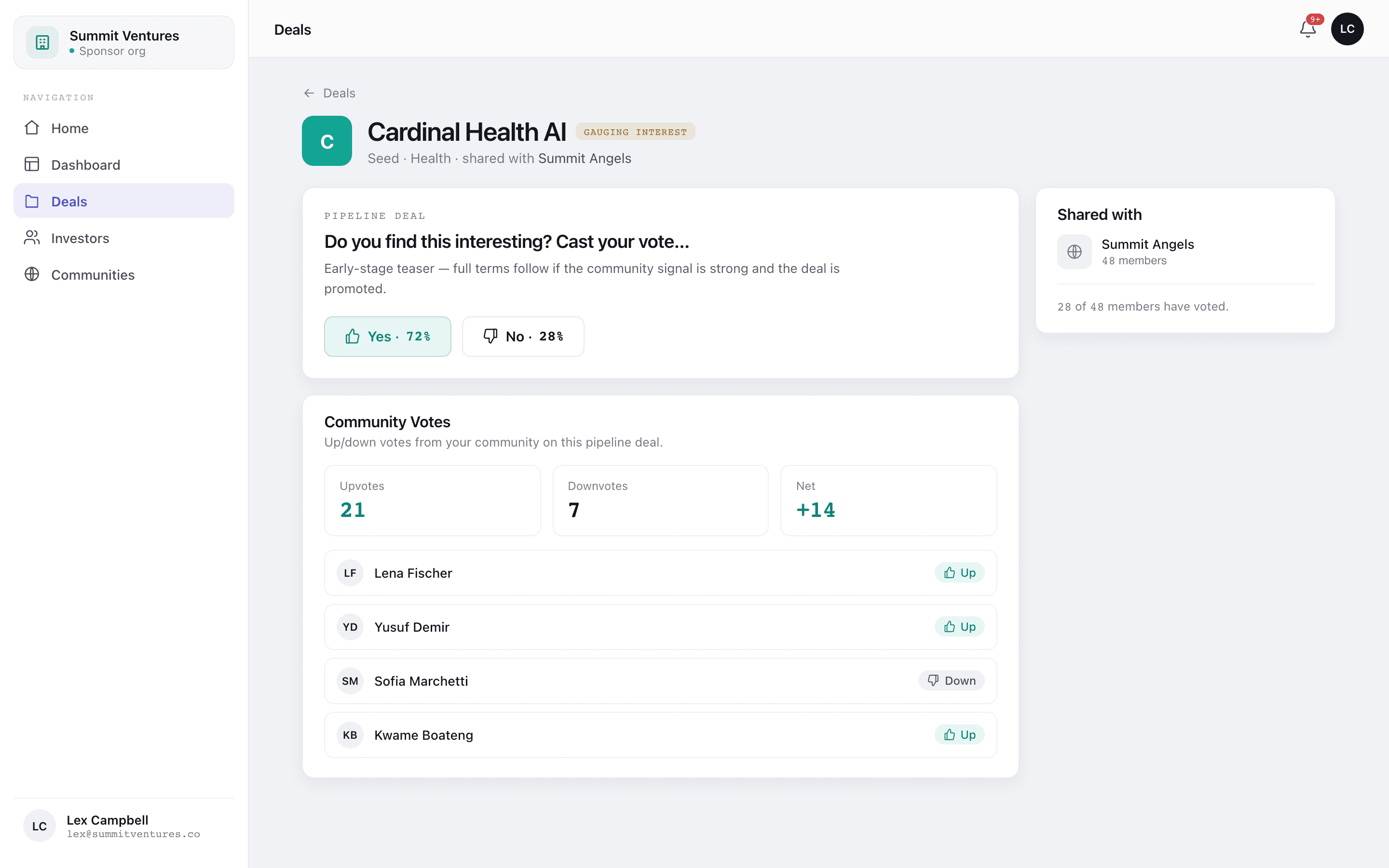
Individual votes are visible to you as the sponsor and to nobody else. Members see the aggregate, never who voted which way. That is not a small detail: the moment members can see each other's votes, downvoting becomes socially expensive and people stop doing it, and the signal you were trying to collect degrades into unanimous enthusiasm.
Treat votes as directional rather than predictive. An upvote is not a commitment and there is no cheque size attached, so expect meaningful fall-off between a positive tally and money arriving. What the vote is genuinely good for is the negative case: a deal your community clearly does not want, identified before you spent anything.
5. Send the member update
When you are ready to tell people, you send a member update. It is batched, so one email covers every deal you have linked since the last one rather than firing separately per deal, and it goes only to active members with updates switched on. Deals already announced are not announced again.
In practice this means you can link three deals over a fortnight, tidy up the pages as you go, and send a single well-composed update at the end. Members get one email with three opportunities rather than three emails with one each.
What the investor sees
Worth looking at from the other side, because it is the view that determines whether people join. An investor lands on the community's public page, sees the thesis, the track record and any notable members, and requests to join. Deals are not visible until their membership is active.
Once they are in, deals you publish to the community appear on their deals list alongside anything they were invited to directly. They onboard once, and every subsequent deal skips the KYC and accreditation round trip that makes the first one slow.
The shape of it
- Create the community and fill in the thesis and track record, since that is what people evaluate before joining.
- Bring members in by invite, cohort or join link. Every join is consented or approved.
- Link deals to the community, which grants access to current and future members.
- Let members vote on circling deals to gauge demand before you commit to formation.
- Send a batched member update when you are ready to talk, not when you happen to publish.
The compounding benefit is in step two. Onboarding is the expensive part, and a community pays it once per member rather than once per member per deal.